HOST — R79/month
FREE .CO.ZA
WITH ANNUAL PAYMENT
WITH ANNUAL PAYMENT
I know how to install and configure WordPress myself.
- cPanel hosting and email
- You install your chosen software

Build Your Own Professional Website.
Get a prepared WordPress starting point with Elementor Free, cPanel hosting, professional email, SSL, daily backups and beginner guidance for R99/month.
 WordPress
Prepared
WordPress
Prepared Elementor
Free
WordPress
Elementor Free
Elementor
Free
WordPress
Elementor Free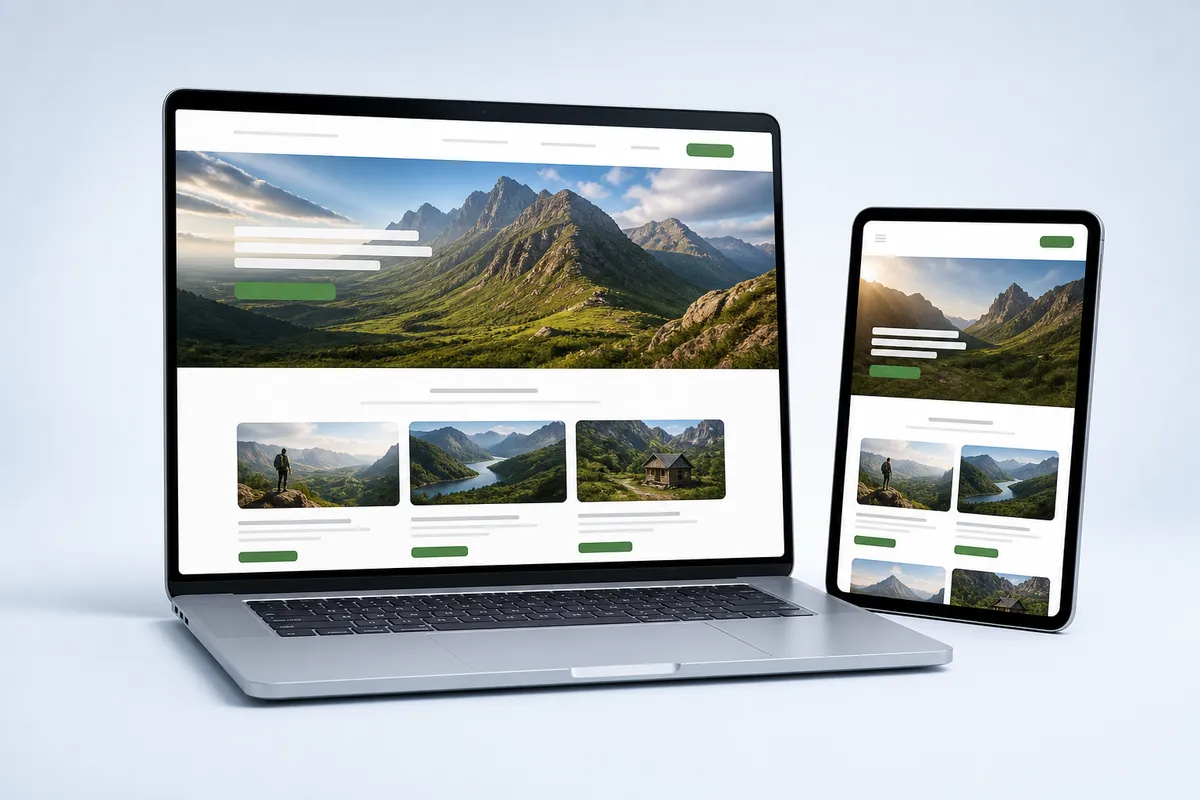
We prepare the technical starting point.
You build the website visually.
From hosting account to WordPress website-building ready.
We prepare the technical WordPress starting point. You create the design, pages and content.
Yes. Choose how much of the starting point you want us to prepare.
I know how to install and configure WordPress myself.
I want WH4SA to prepare WordPress and Elementor Free.
We’d rather help you choose the right package than sell you something you don’t need.
Understand what each part of your hosting package does.
WordPressPages, posts and website content.
Elementor FreeVisual page building. Drag, drop and edit.
Domains, email, files and databases.
Start with the website your business needs today. Add new pages, fresh content and useful features as your ideas grow.
Choose a theme for your site’s appearance, then create page layouts that suit your brand.
Edit pages, publish articles and organise photos through WordPress’s content management system (CMS).
Extend your website with suitable plugins as your needs change. Check compatibility and any licence costs.
WordPress is open-source software. You retain control of your content and can move your website to compatible hosting.
A flexible platform. A prepared starting point.
BUILD gives you WordPress and Elementor Free prepared for R99/month. You bring the design, pages and content.
Turn your ideas into a professional-looking page with a visual WordPress editor. Place the content, adjust the styling and see the result as you work.
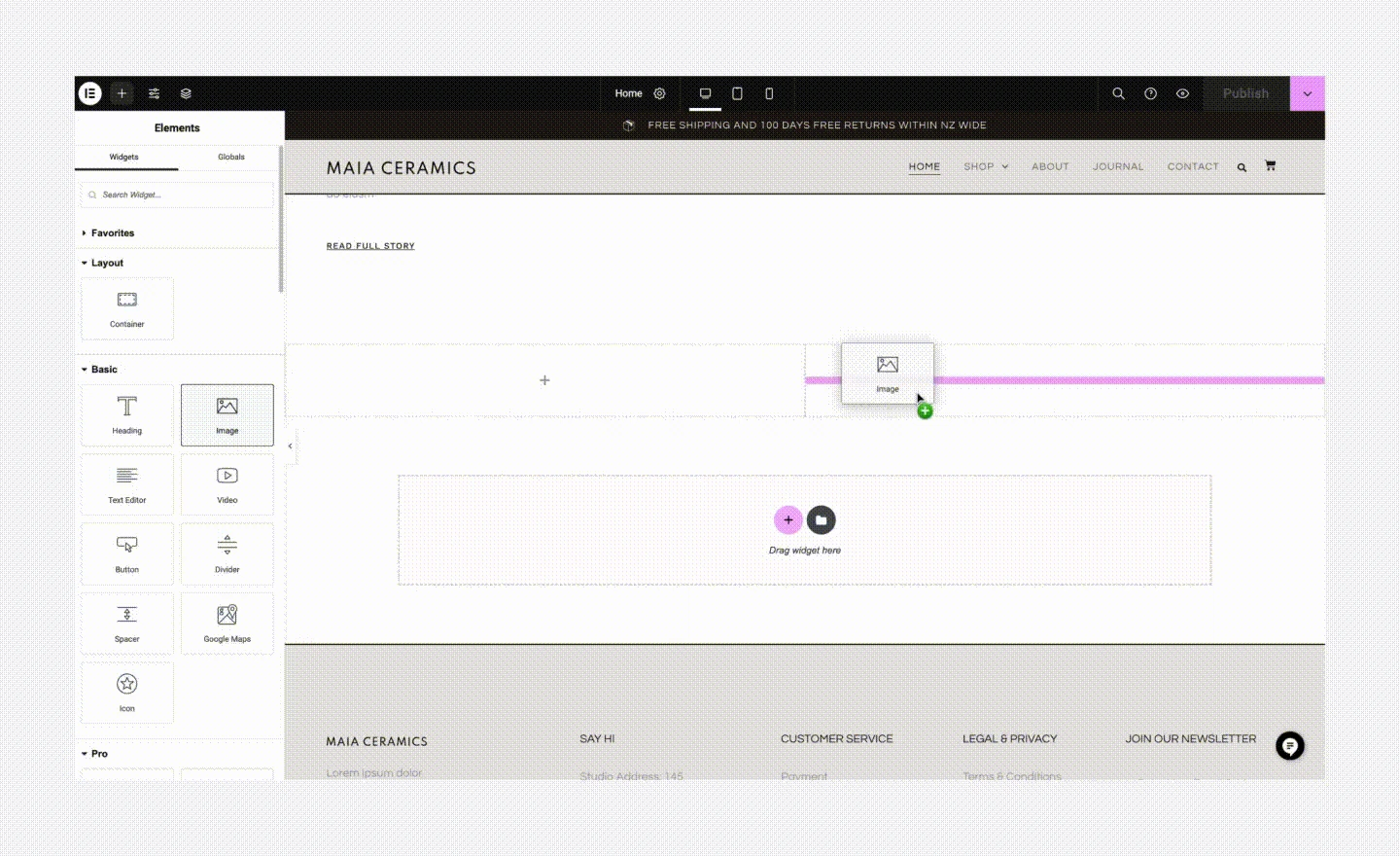
Pick the Image widget from the panel and drag it to the highlighted position on the page.
Publisher’s guide — opens in a new tab ↗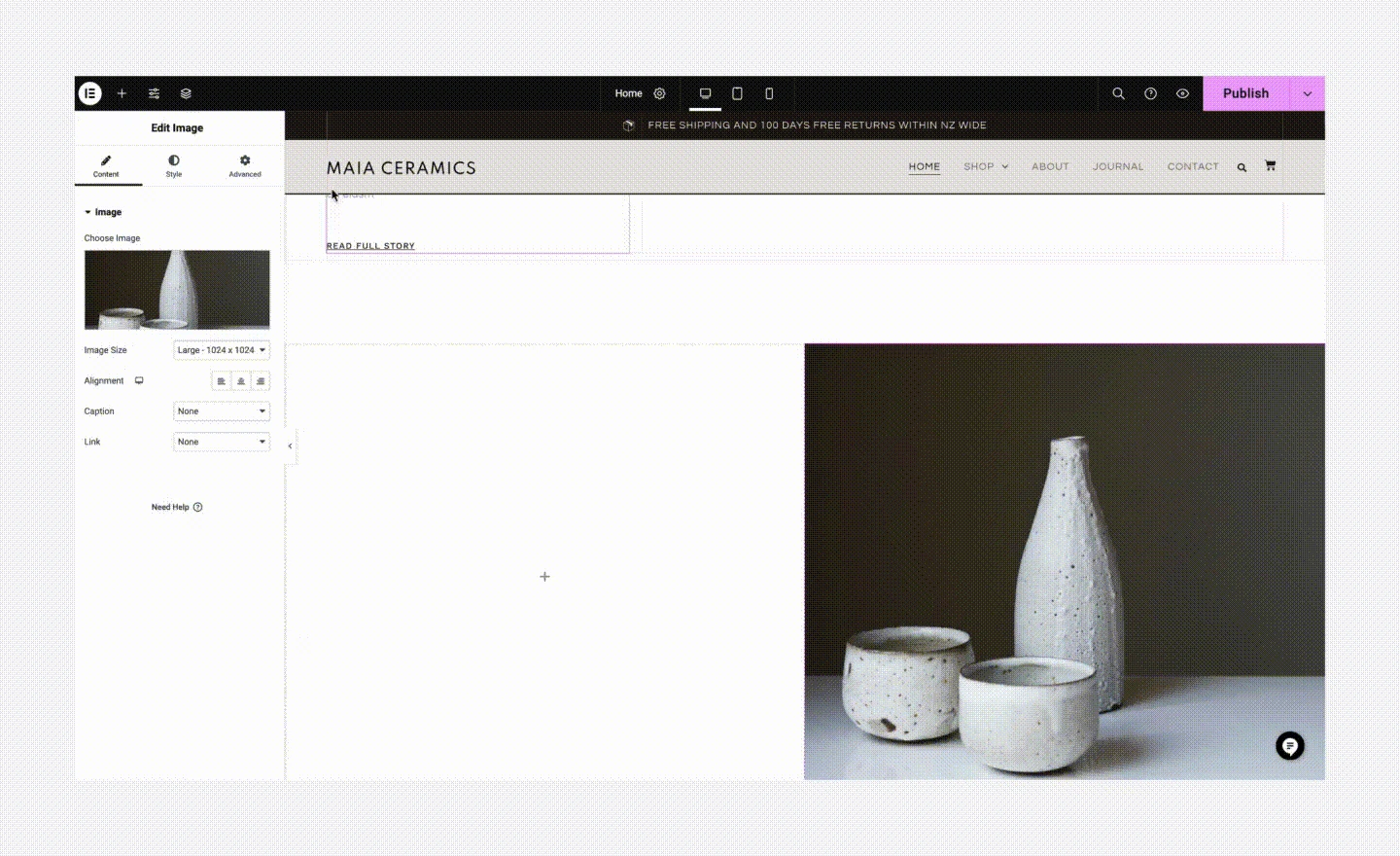
The image appears in the layout. Use the settings panel to choose the picture and adjust its presentation.
Publisher’s guide — opens in a new tab ↗Actual publisher screenshots. Editor versions and available tools may differ; the Elementor examples demonstrate the Image widget available in Elementor Free.
Open a page in Elementor and begin with a blank layout or an available free template.
Add headings, text, images and buttons. Arrange the page visually instead of writing page code.
Change colours, fonts and spacing. Use your own photos and clear wording to make the page feel like your business.
Check the desktop, tablet and phone views. Refine the layout and publish when you are happy with it.
Elementor Free is included with BUILD. It covers visual page editing; premium widgets, advanced theme-building features and paid templates are separate.
Build with Elementor — R99/monthBUILD is a DIY hosting product. You create and manage your website or shop.
Move from a prepared installation to a website that feels like your business.
Use the access details provided for your WordPress starting point. Review your site name and the account settings.
Use WordPress and Elementor Free to create your home, about, service and contact pages. Add your own branding and photographs.
Check phone layouts, links and contact methods. Keep WordPress, themes and plugins updated, and back up before major changes.
Add the plugins your website actually needs, check their compatibility and review who maintains them. More plugins can mean more updates and more resource use.
Elementor Free is a visual page builder. Some themes, advanced features and third-party extensions require separate purchases.
Already have a WordPress website? Ask about migration options before starting a fresh installation.
Three tools with three clear jobs. BUILD prepares them so you can focus on making the website your own.
Create and organise pages, posts and navigation. Choose a suitable theme and extend your site with compatible plugins.
Arrange supported page elements visually and preview your layouts. BUILD includes the free edition; paid software is separate.
Manage domains, email, files and databases in the hosting control panel. WordPress handles the website above it.
cPanel HostingCreate domain-based email alongside your website. Connect a new domain or use one you already own.
Email HostingSSL certificates and daily backups are included. Keep your own recovery copies and check restore arrangements.
Get quick-start guidance for your prepared environment. You take responsibility for design, content, updates and marketing.
ContactGot questions? We’ve got answers.
Yes. HOST suits customers who know how to install and configure WordPress themselves. BUILD costs R99/month because WH4SA prepares WordPress and Elementor Free as your starting point.
WH4SA prepares the hosting account, cPanel, WordPress installation, Elementor Free and SSL and backup environment, with quick-start guidance. You create the website design and content.
You can create pages using WordPress and Elementor Free without writing code. You will still need to learn the tools, arrange your content and test your website.
You manage ongoing website updates, including themes, plugins and content. Make recovery copies and check compatibility before major updates.
For an e-commerce shop starting point, choose SELL / E-COMMERCE. It adds WooCommerce preparation to WordPress and Elementor Free, while you configure the products, payments and shop operations.
Yes, contact us to discuss the current setup and migration requirements. The scope, access needed and any charges should be confirmed before moving.
WordPress and Elementor Free prepared for you. You take it from there.